
Guide · Sharing
How to share a cargo load plan: report, link or CSV
Send a PDF report when someone needs the full record, a read-only link when they should explore the plan in 3D, and a CSV when they need to change their own copy. Making any of these needs an account; anyone can open a link without one.
Compare the options ↓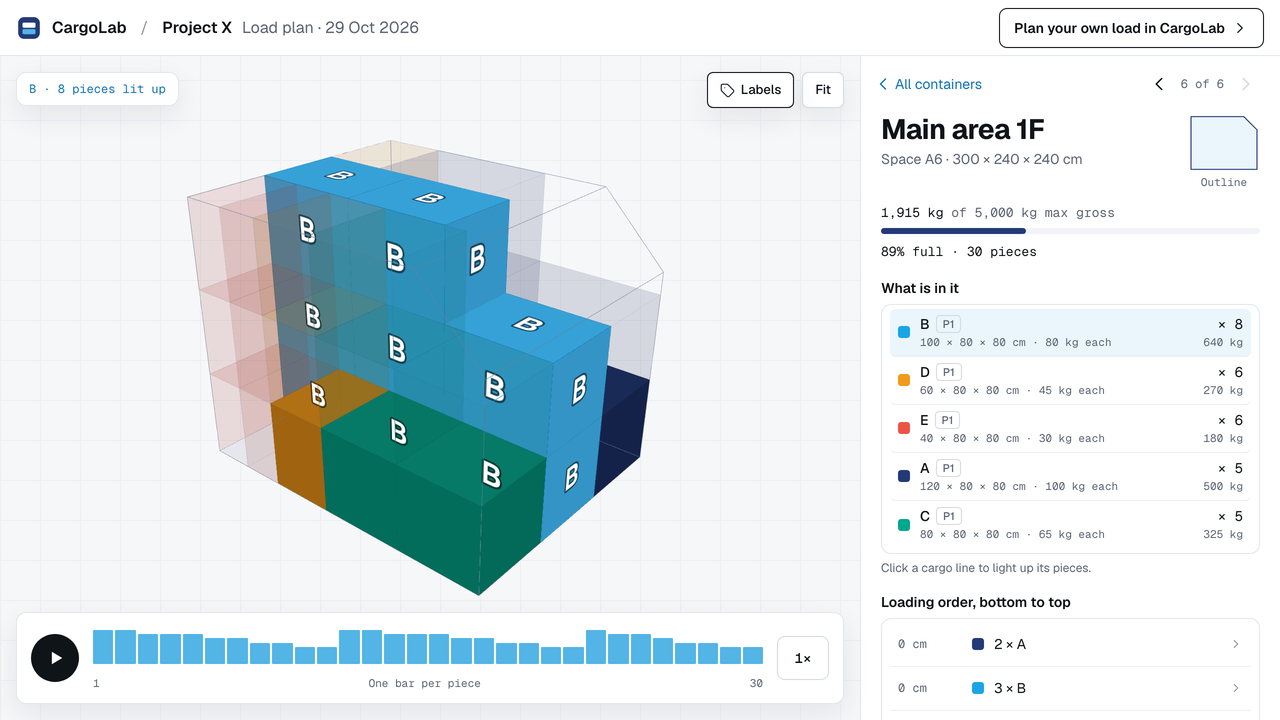
01 · Choose
Which format suits the person you are sending it to?
| Format | Best for | They need | Can they change it? |
|---|---|---|---|
| PDF report | A complete record to file or forward | Any PDF reader | No |
| Read-only link | Seeing the plan in 3D, position by position | A browser, no account | No |
| Save image | One container in a message | Any picture viewer | No |
| CSV file | Someone who will edit their own copy | A CargoLab account | Yes, their own copy |
02 · The report
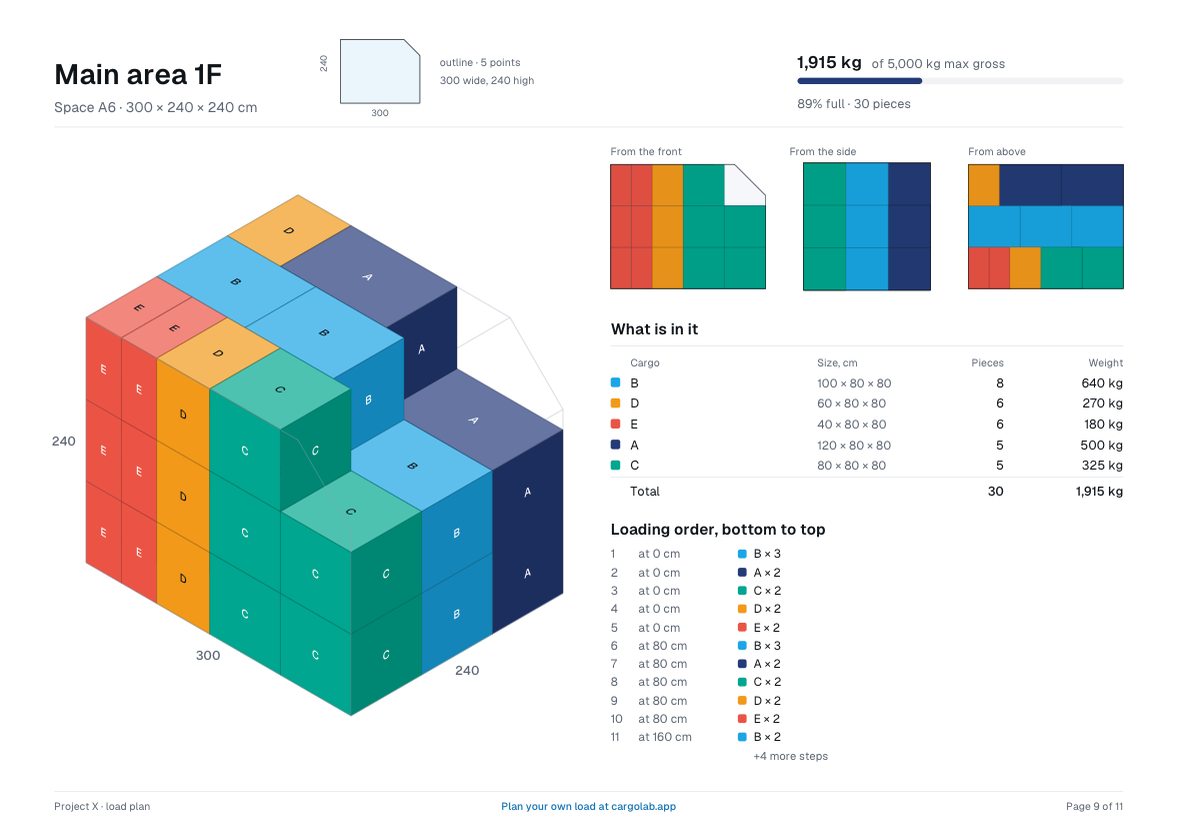
The full record of the plan.
The report holds the totals, the loadsheet, each position with its views, and the list of pieces. In the example, position 1F has 30 pieces weighing 1,915 kg. Its 89% compares the cargo with the outer box of that space, so say so if the figure matters.
03 · The link
A snapshot, not a shared workspace.
A link shows the plan as it was when you made it, so later edits do not change what the other person sees. They can watch it build up, open a position and light up a cargo line, with no account. It is not simultaneous editing.
04 · The CSV
Hand over a copy to edit.
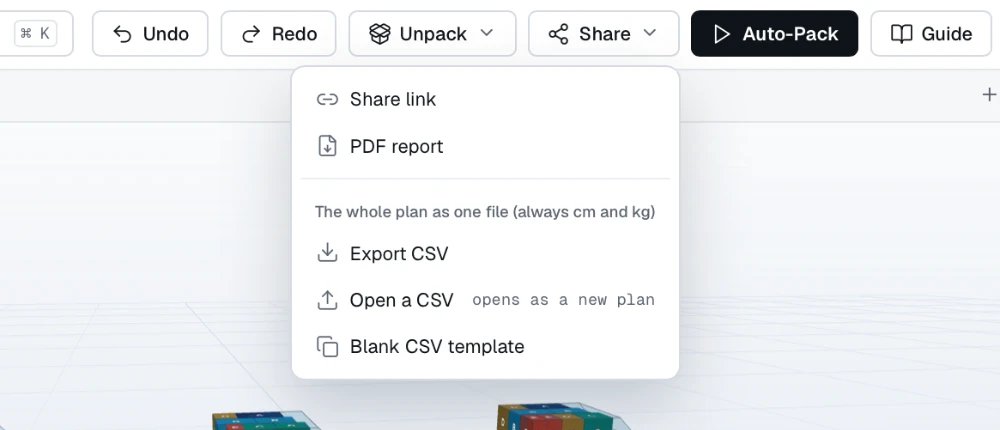
Choose Share → Export CSV and send the file. The other person, with an account, chooses Share → Open a CSV, and it opens as a new plan. Plan files use centimetres and kilograms. Their edits stay in their copy and do not merge back into yours.
05 · Before you send
What to say with any plan.
- Which measurements are confirmed, and which are still estimates.
- Whether every piece is placed, and what is decided for any that are not.
- The weight limits you used, and where they came from.
- What the other person needs to check or decide next.
See a finished plan: open the fictional Project X example in 3D ↗ (no account needed). A plan in CargoLab is a preliminary proposal: check the real equipment and cargo, and the carrier makes the final decision.