
Guide · Container capacity
How many boxes fit in a container?
Work out how the boxes sit on the floor, how many layers fit, and whether the weight limit stops you first. Dividing one volume by the other gives a number you will not reach. In our fictional example, volume says 345 cartons, simple rows say 225, and a 3D plan placed 260.
See the worked example ↓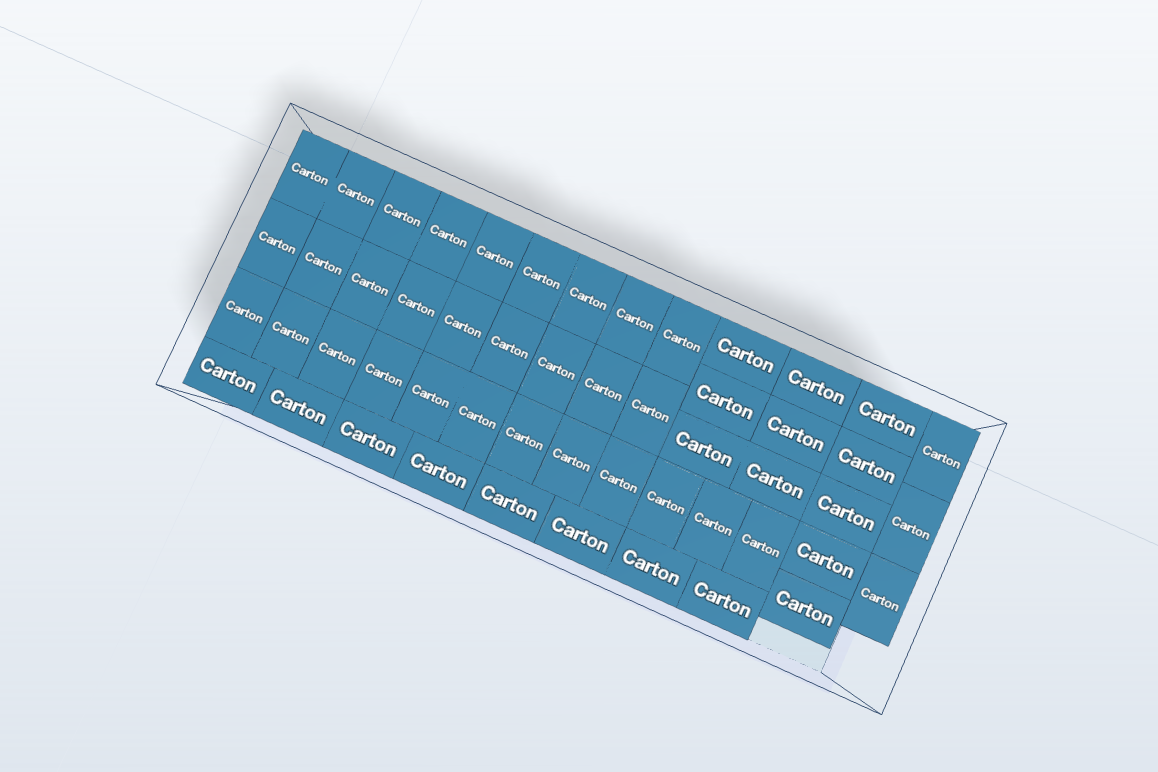
01 · Three ways to count
Three methods, three different answers.
The example is a plain fictional space of 590 × 235 × 239 cm inside, and cartons of 60 × 40 × 40 cm that stay upright.
| Method | Working | Cartons |
|---|---|---|
| Volume only | 33.14 m³ ÷ 0.096 m³ | 345 |
| Rows, long side along the length | 9 × 5 × 5 layers | 225 |
| Rows, long side across | 14 × 3 × 5 layers | 210 |
| 3D plan, Auto-Pack | 52 a layer × 5 layers | 260 |
Volume is a ceiling, not a plan. Rows are simple but waste the edges. A mixed floor pattern sits between them.
02 · Why the numbers differ
Boxes leave gaps that volume ignores.
A carton cannot be cut to fill the last 50 cm of a row. Turning some cartons on the floor plan uses those edges: here it lifts each layer from 45 cartons to 52.
Height works in whole layers. Five layers reach 200 cm and leave 39 cm, one centimetre short of a sixth layer. A small change in the carton or the space can move the answer by a whole layer, here 52 cartons.
03 · Check the weight
Weight can stop you before space does.
Divide the cargo weight limit by the weight of one box, then use the lower of the two numbers. With a limit of 25,000 kg:
- At 12 kg a carton, weight allows 2,083, so space decides: 260.
- At 100 kg a carton, weight allows 250, so weight decides: 250.
CargoLab adds up the cargo only, so if your limit includes the container’s own weight, take that off first.
04 · Before you trust the number
What to check first.
- Inside size, from your carrier, not the outside size. Sizes vary between containers.
- Packed carton size, measured on a real carton. A bulge of 1 cm repeated along a row adds up.
- Which way up. CargoLab keeps the height you enter upright and turns pieces only on the floor plan. If a carton may lie on its side, enter it that way.
- Stacking strength. Five layers of cartons are only useful if the bottom layer can carry them.
- The door. The door opening is smaller than the inside. CargoLab models the inside, not the door.
- Room to work. Allow for dunnage, strapping and anything that keeps the load secure.
05 · Run it in 3D
Let the plan do the counting.
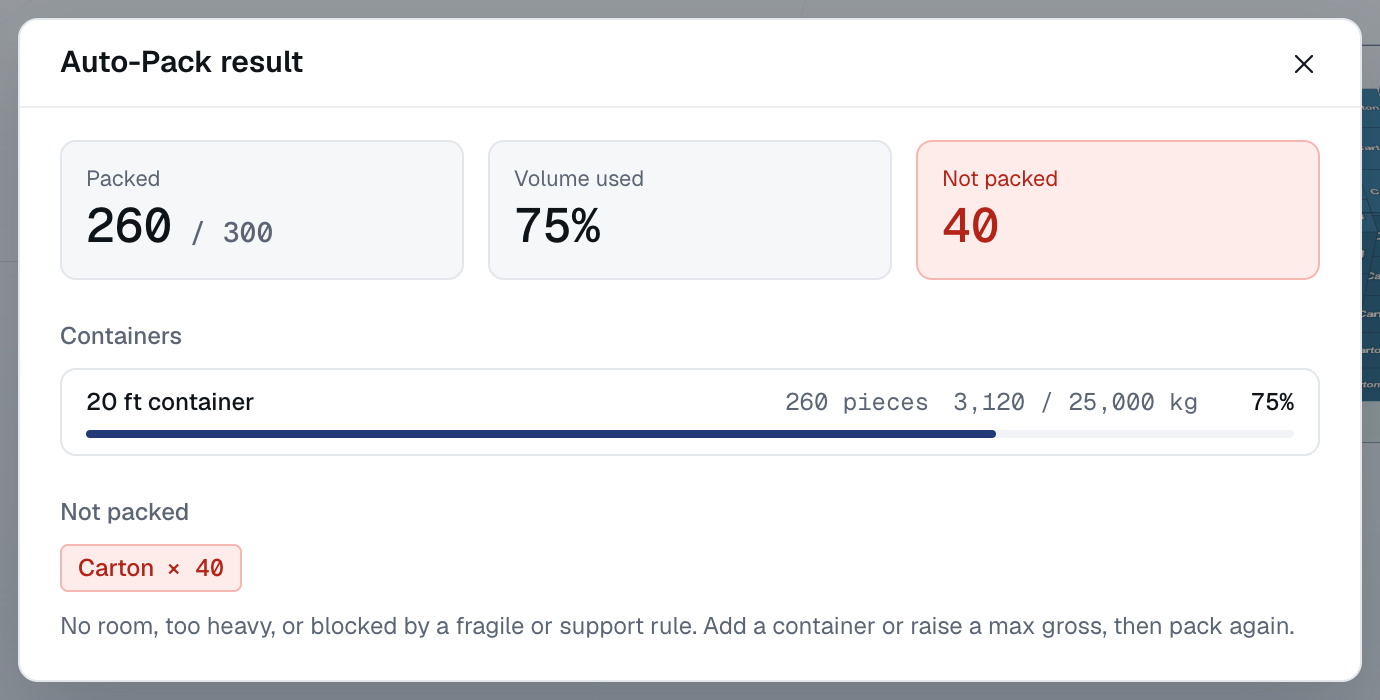
Enter the space, then one cargo line with more pieces than you expect to fit. In the example that is 300. With an account, Auto-Pack proposed 260 and left 40 in Not placed. As a guest you can place pieces by hand. The 3D container load calculator page shows the steps.
Auto-Pack proposes an arrangement and does not guarantee the most that could fit, so treat 260 as a planning figure, not a promise.
See a finished plan: open the fictional Project X example in 3D ↗ (no account needed). A plan in CargoLab is a preliminary proposal: check the real equipment and cargo, and the carrier makes the final decision.